
Free Online Documents Tools for Easier File Management
Our Free Online Documents Tools help you convert, compress, split, merge, and organize PDF, Word, Excel, and PowerPoint files online. These browser-based utilities simplify file workflows for students, professionals, and teams without requiring software downloads.
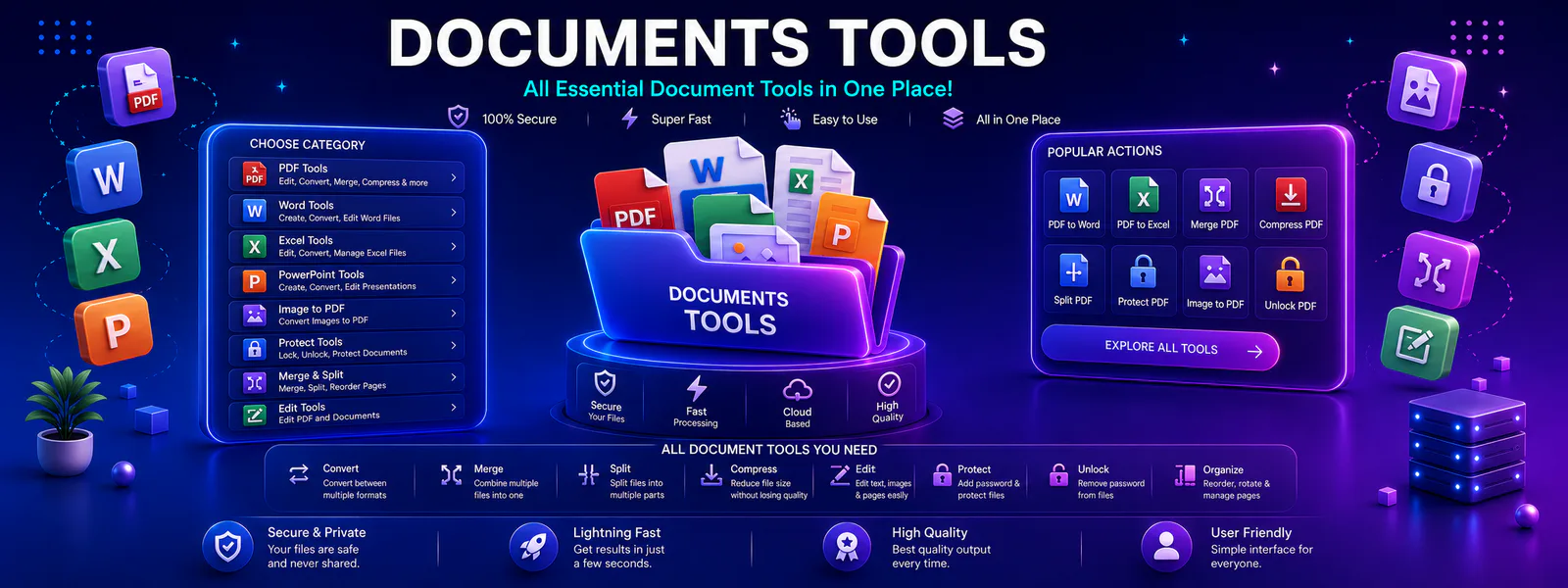
Document Workflow Hub
Use this category hub to discover browser utilities for converting, merging, compressing, and organizing digital documents like Word, PDF, Excel, and PowerPoint files.
Popular Free Online Documents Tools
These featured utilities help users manage files efficiently, whether converting Word to PDF, compressing documents, or editing PDF content.
PDF to Word Converter
Convert your PDF files into editable Word documents for easy text editing and updates.
FeaturedWord to PDF Converter
Convert Word documents into PDF format for professional sharing, printing, and presentation.
FeaturedPDF Compressor
Reduce PDF file sizes for easier email attachments, faster web loading, and lighter storage.
Browse All Online Document Tools
Explore all available utilities in this category to find the right option for your document management needs.
PDF to Word
Convert PDF files into Word documents for easy text editing and formatting.
Word to PDF
Convert DOCX files into universal PDF format for secure distribution.
Merge PDF
Combine multiple PDF documents into a single organized file seamlessly.
Split PDF
Separate large PDF files into individual pages or specific page ranges.
PDF to JPG
Convert PDF pages into high-quality JPG image files for quick previews.
JPG to PDF
Convert images and screenshots into clean, submit-ready PDF documents.
Compress PDF Online
Optimize heavy PDF files to meet file upload limits without losing quality.
PDF Protector
Add secure encryption passwords and protection permissions to your PDFs.
Why Users Choose Our Document Tools
Tool Radar 360 streamlines file tasks, making it faster to convert, organize, and compress essential documents.
Faster Document Conversion
Convert documents quickly in your browser without downloading heavy software or creating accounts.
Efficient File Organization
Merge, split, and reorder document pages easily for cleaner professional and academic file handling.
Optimized Sharing and Storage
Compress documents to significantly reduce file sizes for frictionless email sharing and archiving.
How These Document Tools Help
These utilities are built to support daily digital tasks across study, office administration, and web publishing.
For Students
Merge assignment pages, compress heavy thesis documents, and convert formats before online portal submission.
For Professionals
Secure sensitive documents with passwords, convert contracts to uneditable PDFs, and optimize reports for email.
For Daily Productivity
Quickly solve file format issues directly in your browser without installing single-use desktop software.
How Do Online Documents Tools Work?
Document tools operate by reading the structure of your uploaded file (such as a DOCX or PDF) and applying targeted operations to modify it. You can review official documentation regarding standard file formats via external resources like the ISO PDF Standards Guide. Depending on the tool you select, the engine might re-encode images for compression, alter the page indexing to split or merge documents, or parse text elements for format conversion.
Tool Radar 360’s document category is designed to bring these essential file operations into one unified hub. Instead of navigating multiple ad-heavy websites, users can access clean, fast, and privacy-focused utilities directly from their browser.
Prioritizing File Privacy
When handling documents, security is paramount. Tools that perform client-side operations ensure your data never leaves your device. For operations requiring server processing, uploaded files are temporarily handled over secure encrypted connections and automatically deleted shortly after your task is complete.
Frequently Asked Questions About Document Tools
Find answers regarding file security, tool compatibility, and limits across our document workflow hub.
Yes. All files are either processed locally in your browser or temporarily uploaded via secure connections and automatically deleted from our servers once your task is complete.
Absolutely. Our document tools are fully responsive and work seamlessly on mobile browsers, tablets, and desktop computers.
Explore More Tool Categories
Discover additional utilities designed to support your daily digital and academic workflows.
Start Managing Your Documents Today
Access the specific tools you need right now to convert, merge, or compress your files with Tool Radar 360.